Imagine Tools: from image compression pain to my own app
While building this website, I kept hitting the same annoying problem: I needed to compress images and compare results quickly before publishing.
On Mac, I could not find many options that felt smooth for this workflow. Most online tools were also painful for day-to-day use: too many manual steps, upload limits, privacy concerns, and inconsistent output quality.
So I decided to vibe code my own app: Imagine.
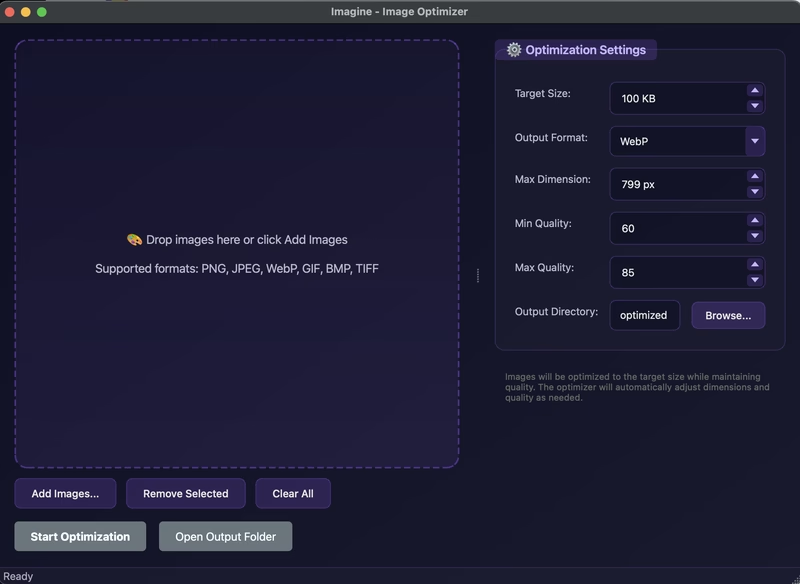
Why I built it
I wanted one simple tool that helps me prepare web-ready images fast, without breaking quality or slowing down my workflow.
My goal was practical:
- Keep image size web-friendly (target under 100KB when possible)
- Preserve visual quality
- Process multiple files in one run
- Avoid touching original files
Features I use the most
- Dual interface: GUI for daily use and CLI support when needed
- Smart optimization to balance quality and size
- Modern output formats: WebP and AVIF, plus JPEG and PNG
- Batch optimization with progress feedback
- Drag and drop workflow in GUI mode
- Optional watermark support
- Safe output to a separate
optimized/folder
CLI support
Imagine also supports CLI, which is useful when I want automation or quicker terminal workflows. I will share CLI details in another post.
Final thoughts
This project started from a real pain point while building my own site, and now it is part of my regular workflow.
If you want to try it or check the code:
Open Imagine on GitHub

Written by Fathur
Building products at the intersection of strategy and code. Product Manager who codes, Developer who understands users.