Plum - The Jira Killer We Built for Ourselves
Plum - The Jira Killer We Built for Ourselves
We hated Jira so much that we built our own project management tool from scratch. Then the whole company switched to it.
Tech Stack
1 The Challenge
Our team was stuck with Jira — a tool that felt like it was designed to manage projects, not help people get work done. Too many clicks, too many fields, and zero joy. We needed something that fit our actual workflow, not the other way around.
2 The Solution
Built Plum from the ground up with Vue.js and Django — a fast, opinionated project management tool with threaded discussions, inline todolists, markdown-first editing, and a global search that actually works. It replaced Jira company-wide.
Plum - The Jira Killer We Built for Ourselves
Background
It started with a rant.
Someone on the team said what everyone was thinking: "I spend more time fighting Jira than actually managing my work." The endless dropdowns, the mandatory fields nobody cared about, the comment threads that felt like shouting into a void — it was death by a thousand clicks.
So we did something about it. Instead of shopping for yet another tool that would eventually frustrate us the same way, we built our own.
Plum was born out of real daily pain. Every feature exists because someone on the team said, "Why can't I just do this?" The todoist-style checklists inside tasks? That came from a developer who was tired of creating sub-tickets for every small action item. The discussion tags? That came from a lead who kept losing important decisions buried in comment threads. The global search with / to focus? That came from anyone who ever had to remember a ticket number.
This was my first project at LaLoka Labs. I owned the entire frontend — building every component, every interaction, every pixel with Vue.js and TailwindCSS. But I did not just write code. I sat in on UX sessions with our designer, challenged assumptions, and proposed features that made it into the final product. Some of those features became the reasons people preferred Plum over the tool it replaced.
The best part? We actually shipped it. The whole company switched off Jira and never looked back.
Roadmap & Progress Tracking
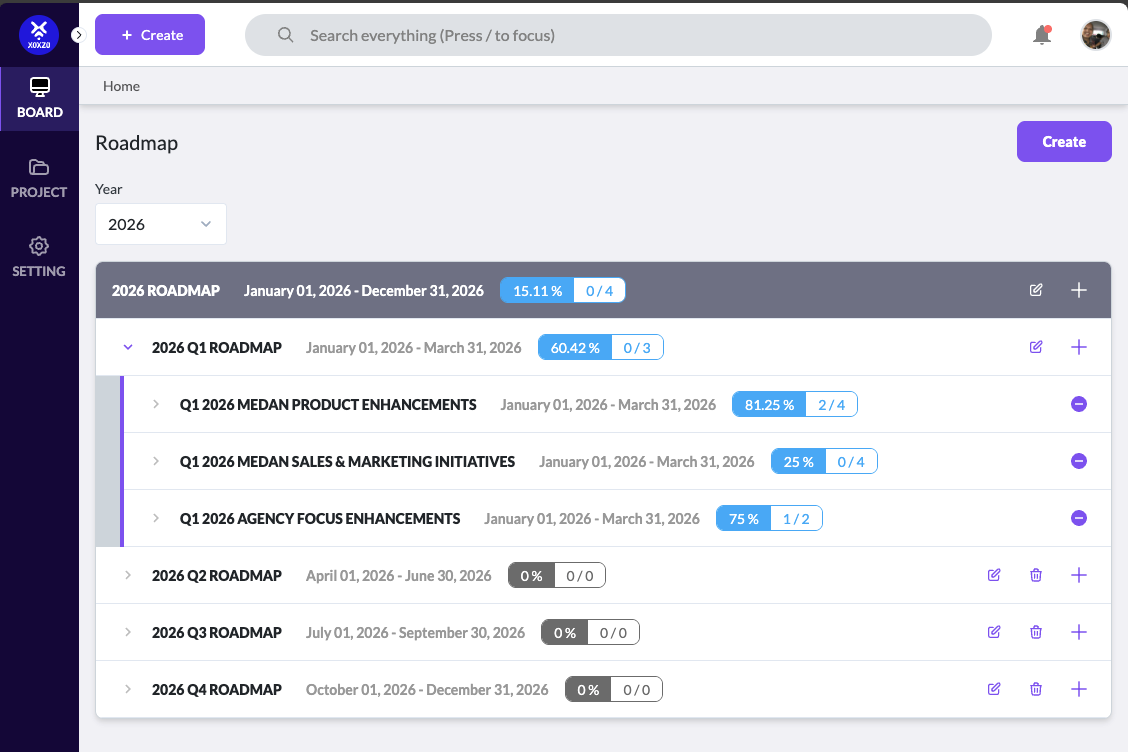
Pain point: Jira made it hard to see the big picture. Quarterly goals were buried in backlogs, and there was no clear way to track how much progress we actually made toward our roadmap targets.
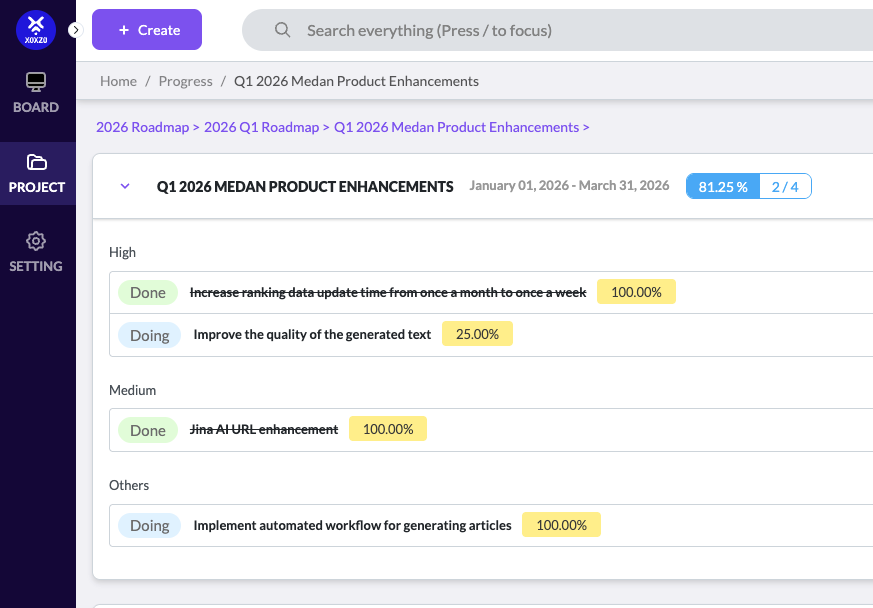
Plum's roadmap view organizes work into quarterly milestones with real-time progress percentages. Each initiative is broken down by priority (High, Medium, Others) so the team can instantly see what matters most and how far along we are.
Global Search
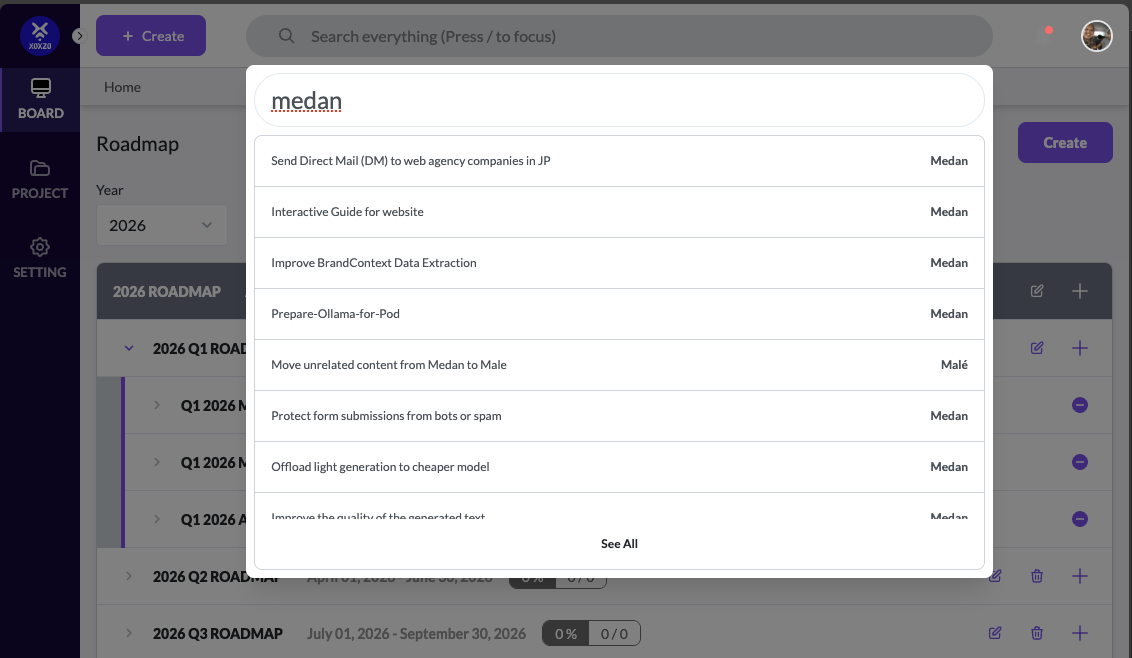
Pain point: In Jira, finding a specific task meant remembering the exact project key or scrolling through endless boards. Context-switching between projects was painful.
We built a global search that lets you press / to focus and instantly search across all projects. Results show the task title and which project it belongs to, so you can jump to any task in seconds regardless of which project you are in.
My Tasks Dashboard
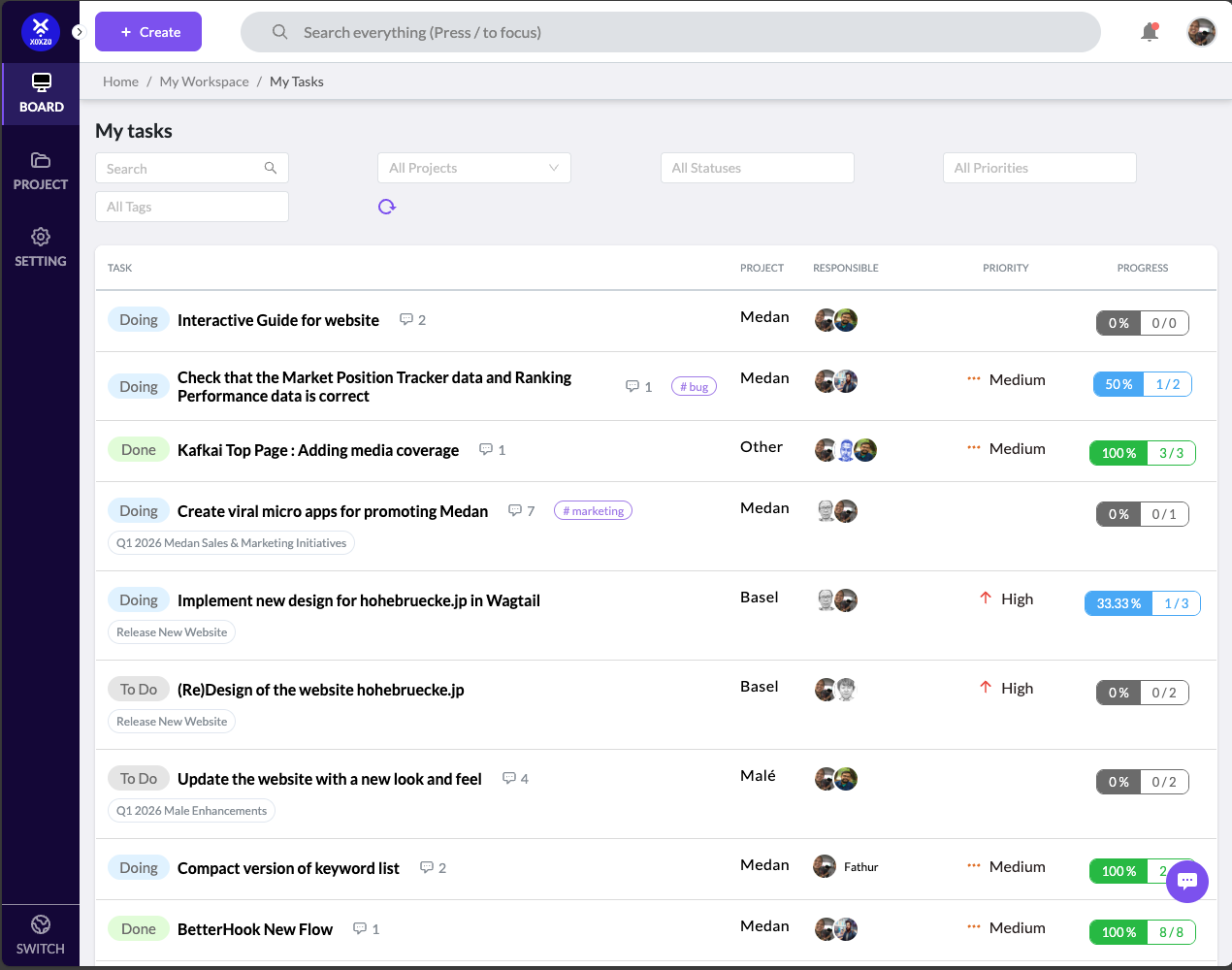
Pain point: Team members had no single place to see everything assigned to them across multiple projects. They had to check each project board individually.
The "My Tasks" dashboard aggregates all tasks assigned to you across every project, with filters for status, priority, and tags. Each row shows the task, project, responsible people, priority, and a progress bar so nothing falls through the cracks.
Task Detail View with Todoist
Pain point: Jira tasks were either too flat (just a title and description) or too complex with sub-tasks that each needed their own ticket. There was no lightweight way to break a task into smaller action items.
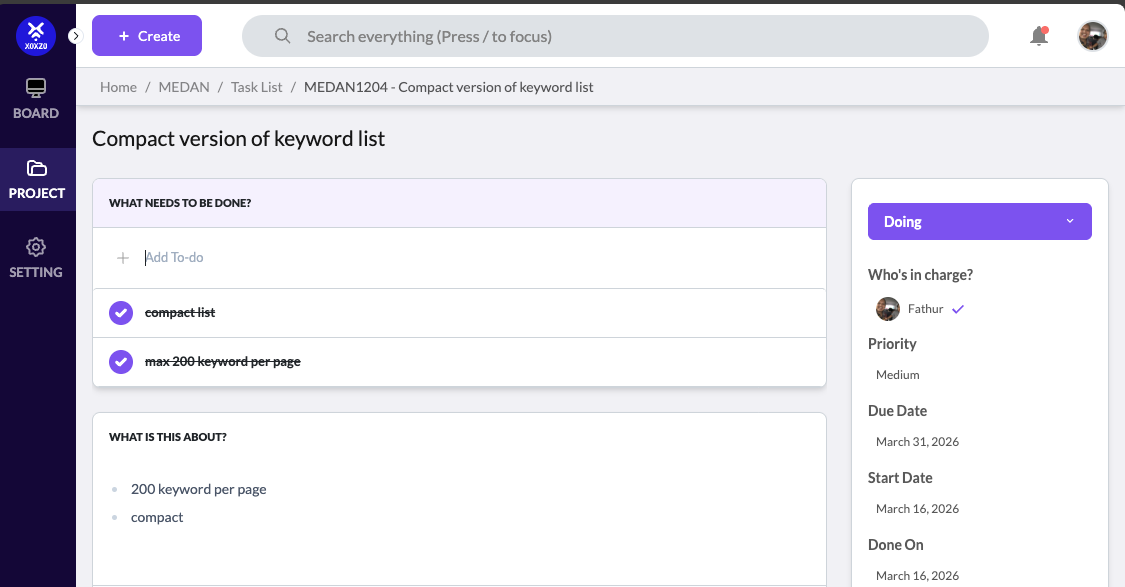
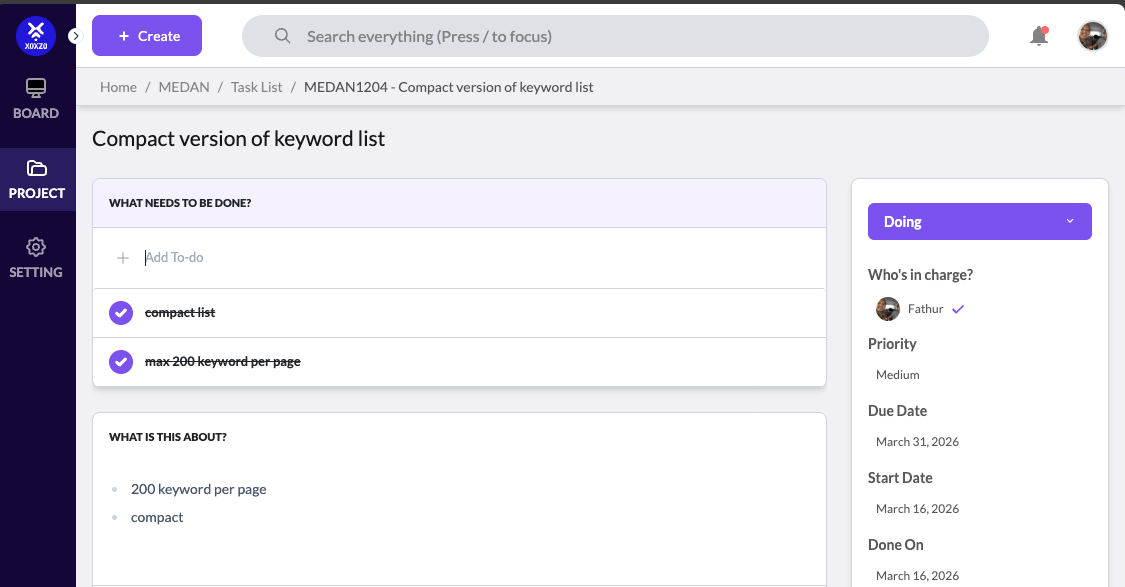
We built a Todoist-style checklist directly inside each task. You can add to-do items, check them off, and see at a glance what is left. The sidebar shows assignees, priority, due dates, and status all in one clean layout.
Quick Task Creation
Pain point: Creating a new task in Jira required filling out too many mandatory fields. It broke the flow when you just wanted to quickly capture an idea.
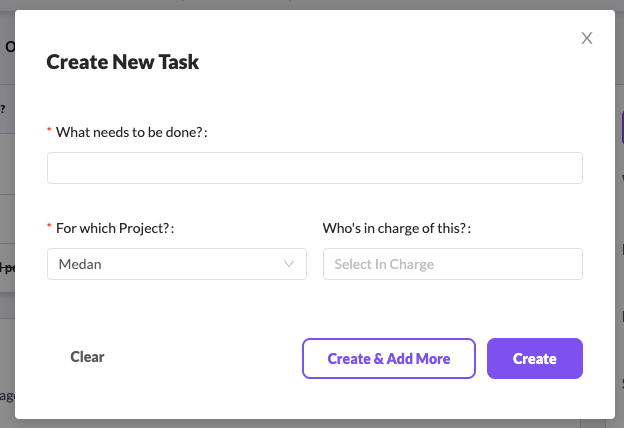
Plum's "Create New Task" modal only asks for three things: what needs to be done, which project, and who is in charge. You can even hit "Create & Add More" to batch-create tasks without closing the modal.
Task Status & Assignment
Pain point: Updating task status or reassigning in Jira required multiple clicks and page navigations. Simple status changes felt heavy.
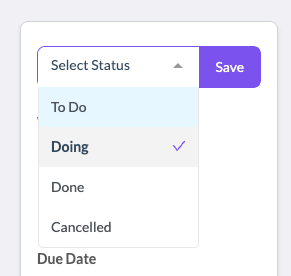
In Plum, status changes and assignee updates happen through simple inline dropdowns right on the task detail view. One click to change status, one click to reassign.
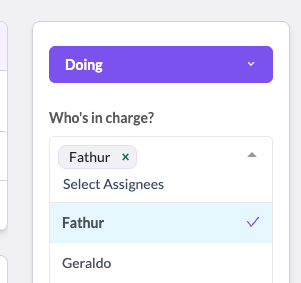
Task Acknowledgement
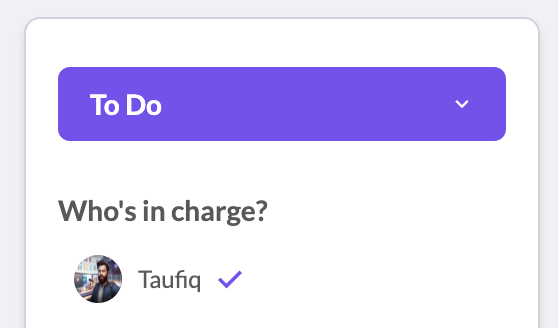
Pain point: Managers had no way to know if an assignee even saw the task they were given. Tasks would sit untouched for days, and the lead had to chase people down just to ask, "Did you see this?"
Plum solves this with a simple blue checkmark next to the assignee's name. When someone opens a task assigned to them, the system automatically marks it as acknowledged. No extra clicks needed from the assignee — just opening the task is enough. If there is no checkmark, the lead knows the person has not looked at it yet. It is a small detail that eliminated a lot of unnecessary "hey, did you see my task?" messages.
Task Relations
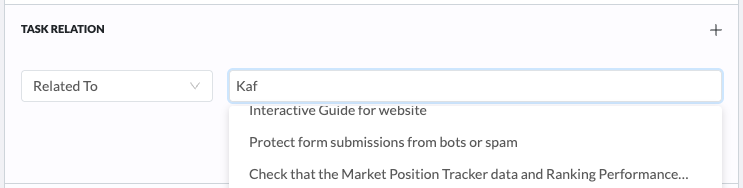
Pain point: Linking related tasks in Jira was clunky. You had to know the exact ticket number or navigate away to find it.
Plum lets you search and link related tasks directly from the task detail view. Just start typing and matching tasks appear, making it easy to build context around related work.
Custom Markdown Editor
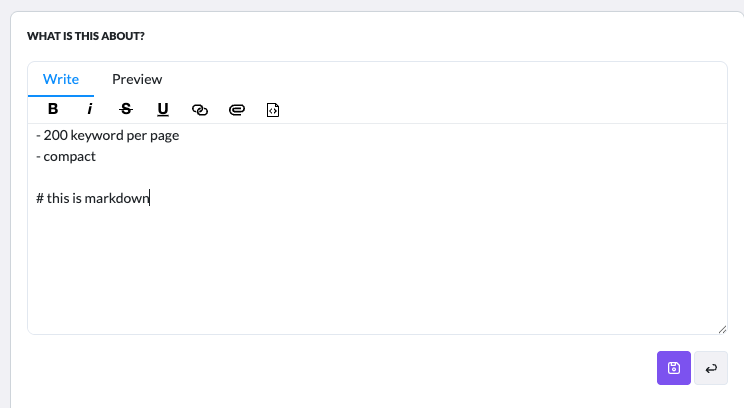
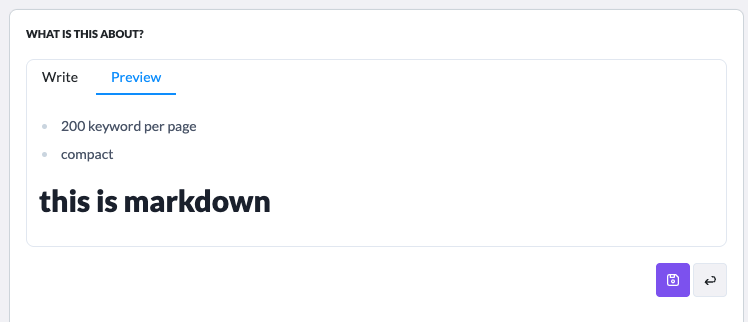
Pain point: Jira's text editor was frustrating. Formatting was inconsistent, and switching between rich text and markup was unreliable. Writing detailed task descriptions felt like fighting the tool.
We built a custom markdown editor with a toolbar for common formatting (bold, italic, strikethrough, underline, links, mentions, and image uploads) plus a live preview tab. What you write is what you get.
Discussion & Comments
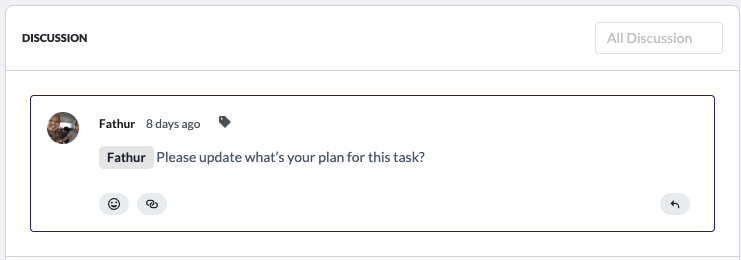
Pain point: Context about decisions and discussions was scattered across Slack, email, and Jira comments. When someone new joined a task, they had no way to catch up on why decisions were made.
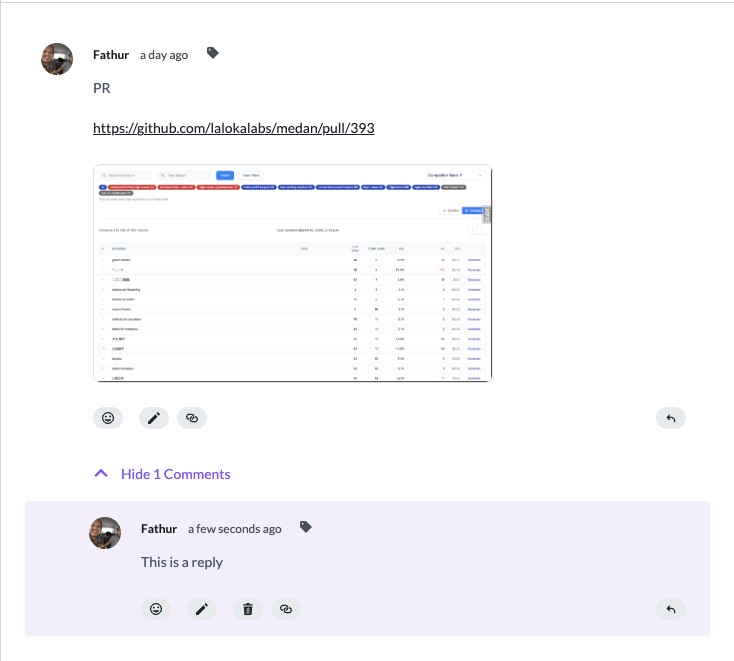
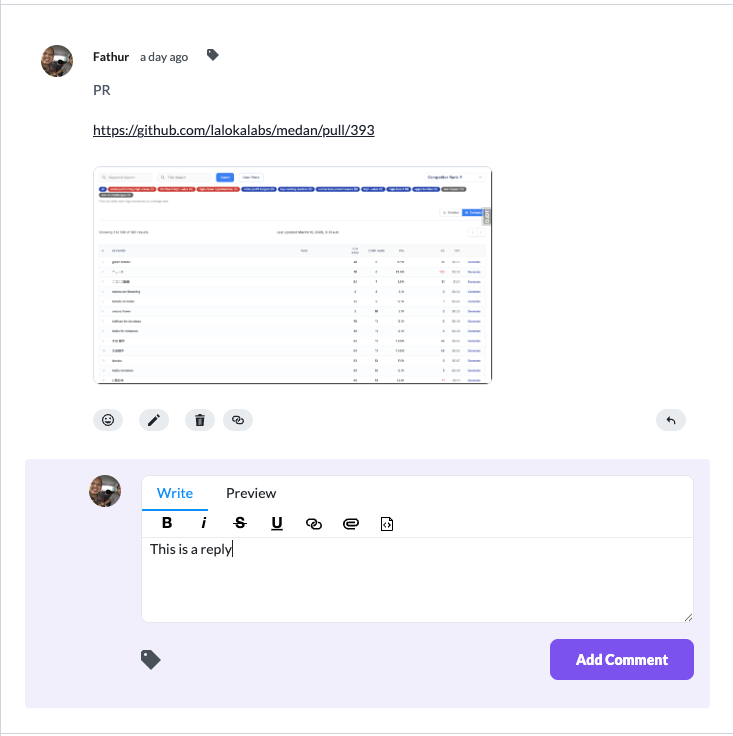
Plum has a threaded discussion system built right into each task. Team members can comment, reply in threads, attach screenshots, and share PR links with image previews. Everything stays in context with the task.
Discussion Tags & Filtering
Pain point: Important decisions and reference notes got buried in long comment threads. There was no way to categorize or filter comments to find what mattered.
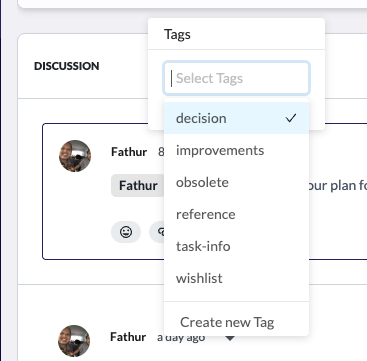
We added a tagging system for discussion comments. You can tag comments as "decision", "improvements", "reference", "task-info", or "wishlist" and then filter by those tags to quickly find key discussions.

Mention System
Pain point: Notifying someone about a task or comment required manually assigning them or messaging them separately. There was no lightweight way to pull someone into a conversation.
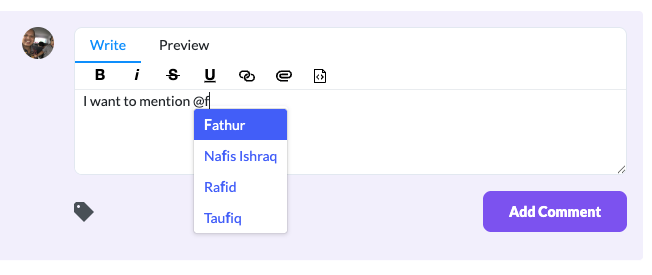
Typing @ in any comment brings up a searchable list of team members. Mentioning someone automatically sends them a notification, keeping everyone in the loop without leaving the task.
User Profile Cards
Pain point: When you saw a name on a task, you could not quickly tell who that person was, what their role was, or what timezone they were in.
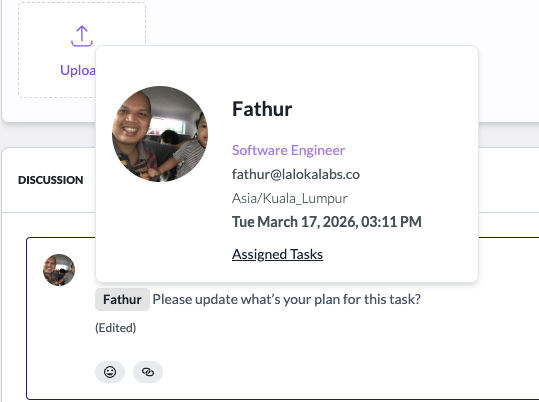
Hovering over any user avatar shows a profile card with their name, role, email, timezone, and last active time. You can also jump directly to their assigned tasks.
Emoji Reactions
Pain point: Not every comment needs a reply. Sometimes you just want to acknowledge or agree. Without reactions, threads got cluttered with "+1" or "noted" messages.
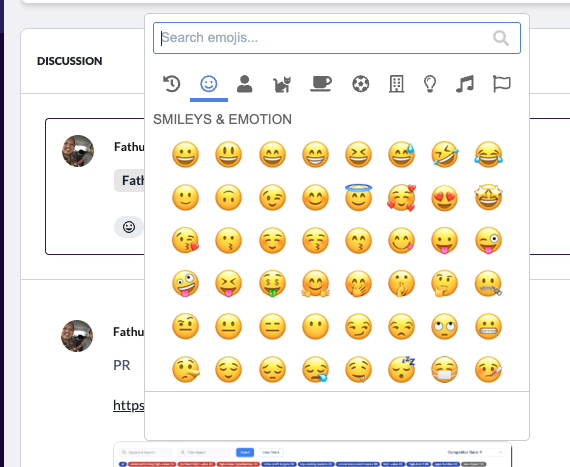
We added emoji reactions to discussion comments so team members can quickly react without adding noise to the thread.
Shareable Comment URLs
Pain point: Sharing a specific comment with someone meant saying "go to task X and scroll down to find the comment from last Tuesday." There was no way to link directly to a specific comment.
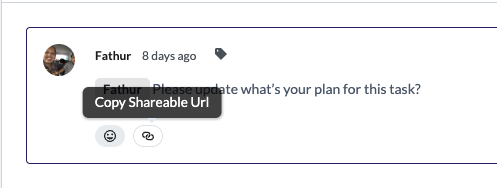
Every comment has a "Copy Shareable URL" option that generates a direct link to that exact comment, making it easy to reference in Slack or other channels.
Global Discussion Stream
Pain point: Managers and leads had no way to see all recent discussions across the organization without opening each task individually. They were blind to what the team was talking about.
The global "All Comments" feed aggregates every discussion from every task into a single stream. Each comment card shows which task it belongs to, with a link to jump to the original comment. PR links and screenshots render inline for quick context.
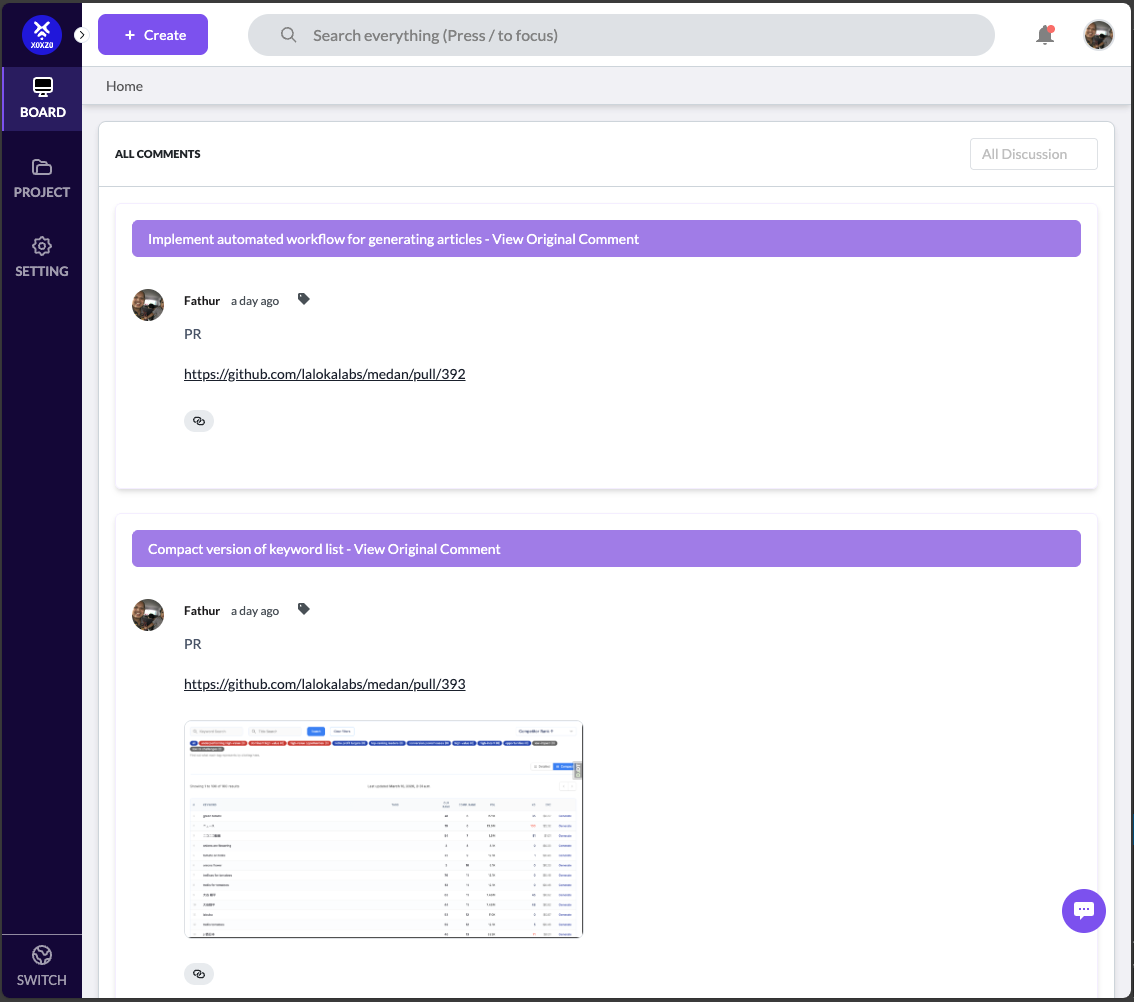
Image Upload with Progress
Pain point: Attaching screenshots to comments in Jira was slow and unreliable. There was no feedback on whether the upload was still in progress or had failed.
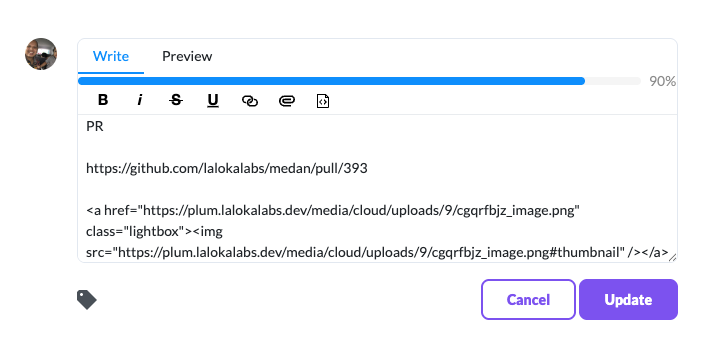
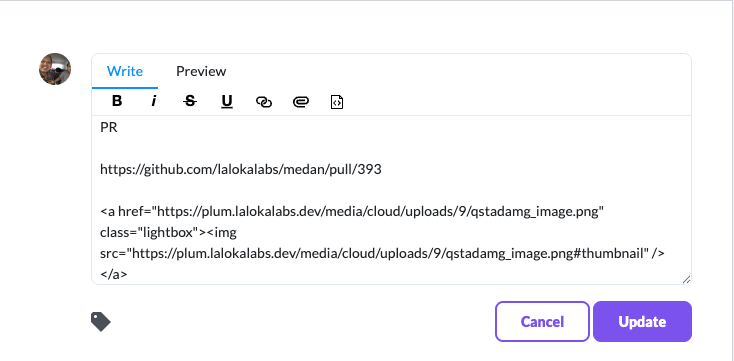
Plum shows a real-time upload progress bar when attaching images to comments. The uploaded image is automatically embedded as a clickable lightbox thumbnail in the markdown.
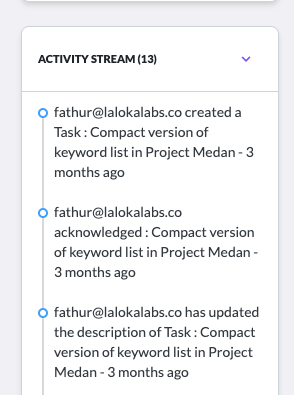
Activity Stream
Pain point: There was no audit trail of what happened on a task. If something changed, you had to ask around to find out who did it and when.
Every task has an activity stream that logs all actions: task creation, status changes, description updates, and assignments with timestamps and user attribution.
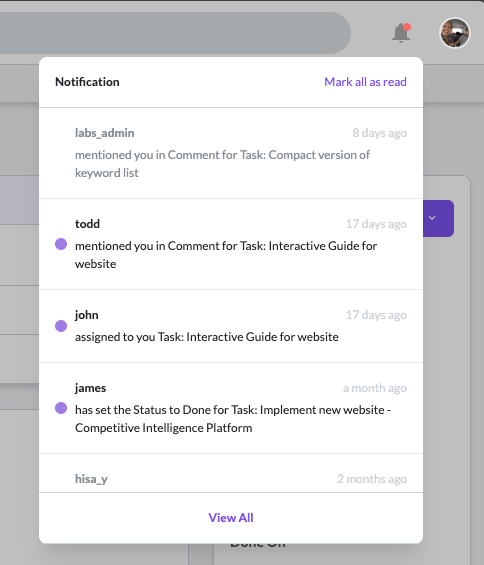
Notification Center
Pain point: Important mentions and task assignments got lost in email notification noise. There was no in-app way to see what needed your attention.
Plum has a built-in notification center that shows mentions, task assignments, and status changes. Unread notifications are marked with a dot, and you can mark all as read in one click.
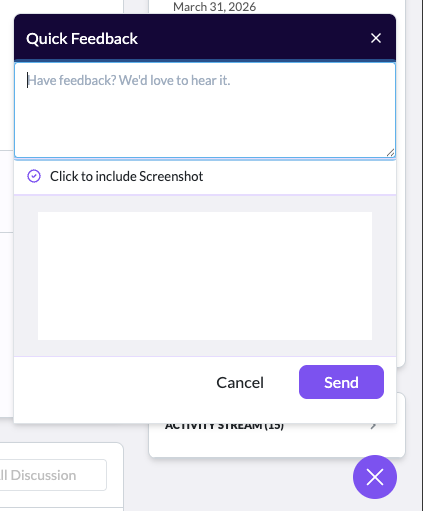
Quick Feedback Widget
Pain point: When team members found bugs or had improvement ideas while using the tool, there was no easy way to report them without leaving the current page.
A floating feedback button opens a quick feedback form with an option to include a screenshot. Reports go directly to the development team without disrupting the user's workflow.
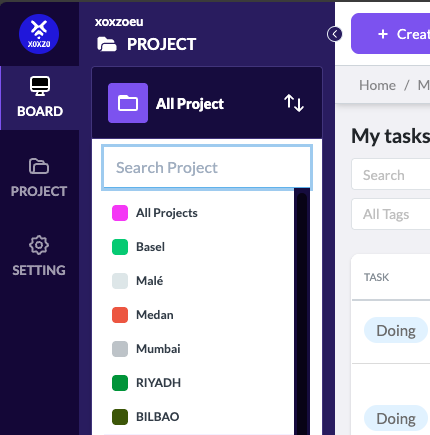
Multi-Project & Multi-Organization Support
Pain point: The team worked across multiple projects and even multiple organizations. Switching between them in Jira required logging in and out or maintaining separate accounts.
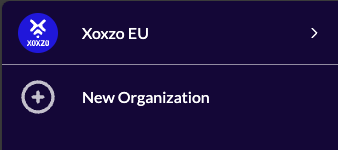
Plum supports multiple projects within an organization and allows switching between organizations from the sidebar. Each project is color-coded for easy identification.
Collaborative Discussion with Real-time Feedback
Pain point: Asynchronous communication in Jira lacked warmth. You could not tell if someone acknowledged your comment without them writing a full reply.
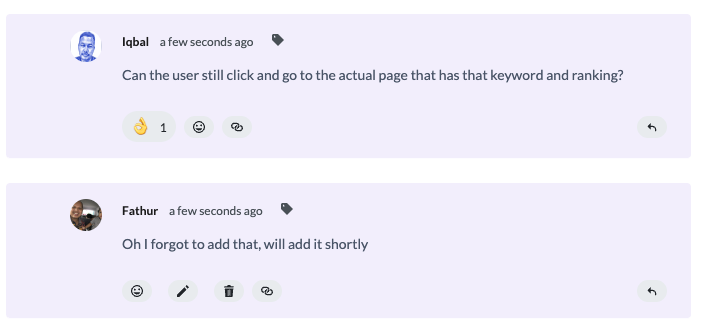
Discussion threads in Plum support emoji reactions, threaded replies, and inline PR screenshots. The conversation between team members flows naturally, like a chat but attached to the work.
Stack
Frontend
- Vue.js — reactive UI with component-driven architecture
- TailwindCSS — utility-first styling for rapid, consistent design
- Custom Markdown Editor — built from scratch with write/preview modes, toolbar, and image upload
Backend
- Django — robust Python web framework powering the core logic
- Django Rest Framework — RESTful API layer connecting frontend to backend
- PostgreSQL — reliable relational database for task, project, and user data
Infrastructure & Integrations
- GitHub Integration — PR links render inline with image previews in discussions
- Cloud Image Storage — file uploads with real-time progress tracking
- Notification System — in-app alerts for mentions, assignments, and status changes
What I Learned
Plum taught me that the best tools are not the ones with the most features, they are the ones that remove friction from how people already work. Every feature we shipped started as a real frustration, not a roadmap item invented in a planning meeting.
Building a product for your own team is a unique kind of pressure. There is no hiding behind a spec. If the search is slow, you hear about it at standup. If the comment editor eats your formatting, someone walks over to your desk. That immediate feedback loop made me a sharper frontend engineer and a more thoughtful product thinker.
This project also shaped how I collaborate. I learned to push back on complexity, to advocate for fewer fields instead of more, and to prototype interactions before committing to code. Some of my best contributions to Plum were not components I built, they were features I talked the team out of building.